
Inline Diff for Eclipse
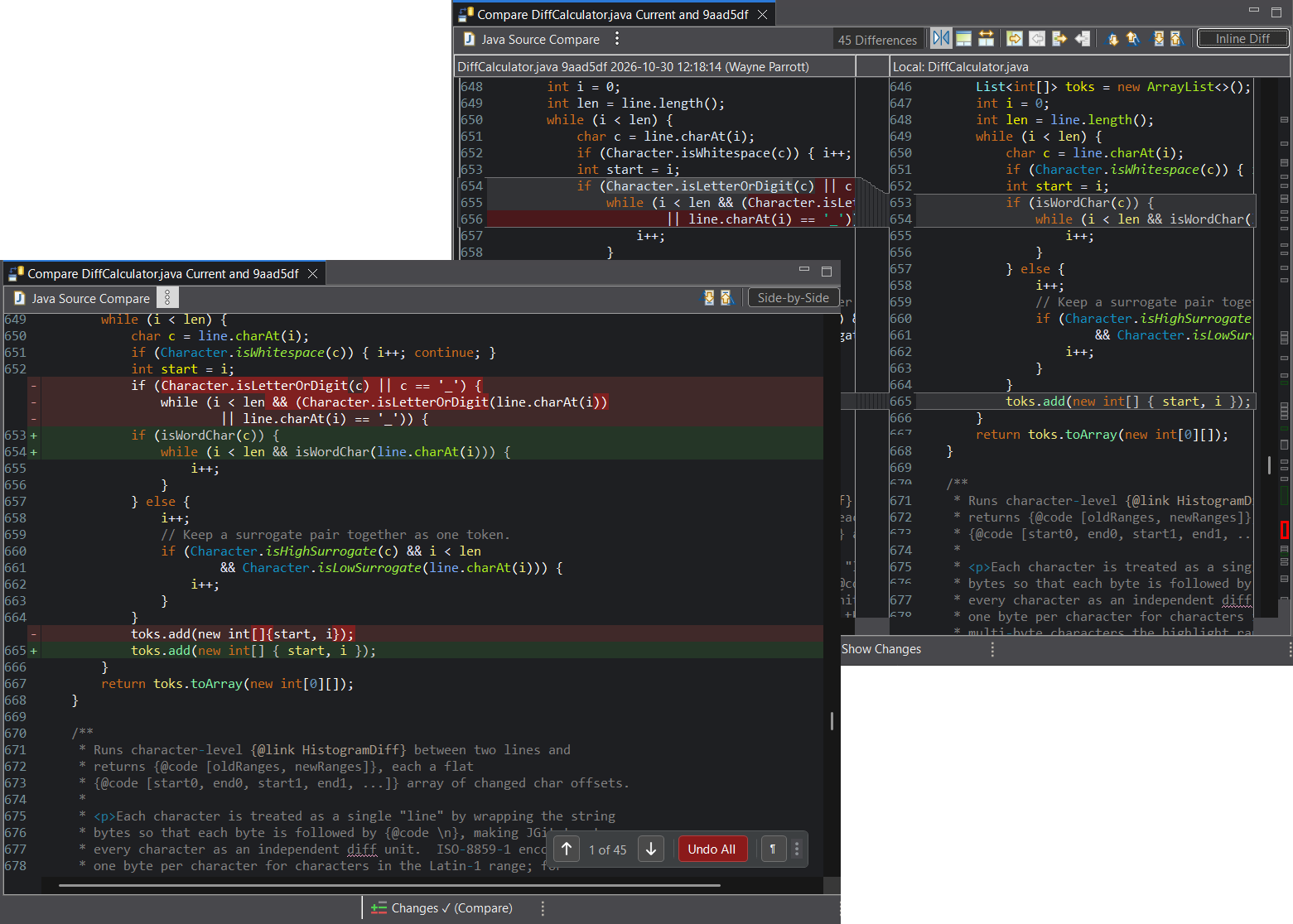
For more than 20 years, Eclipse's Compare editor has shown changes one way: side by side. Inline Diff for Eclipse brings the inline view that VS Code and IntelliJ users take for granted: a single diff you read from top to bottom.
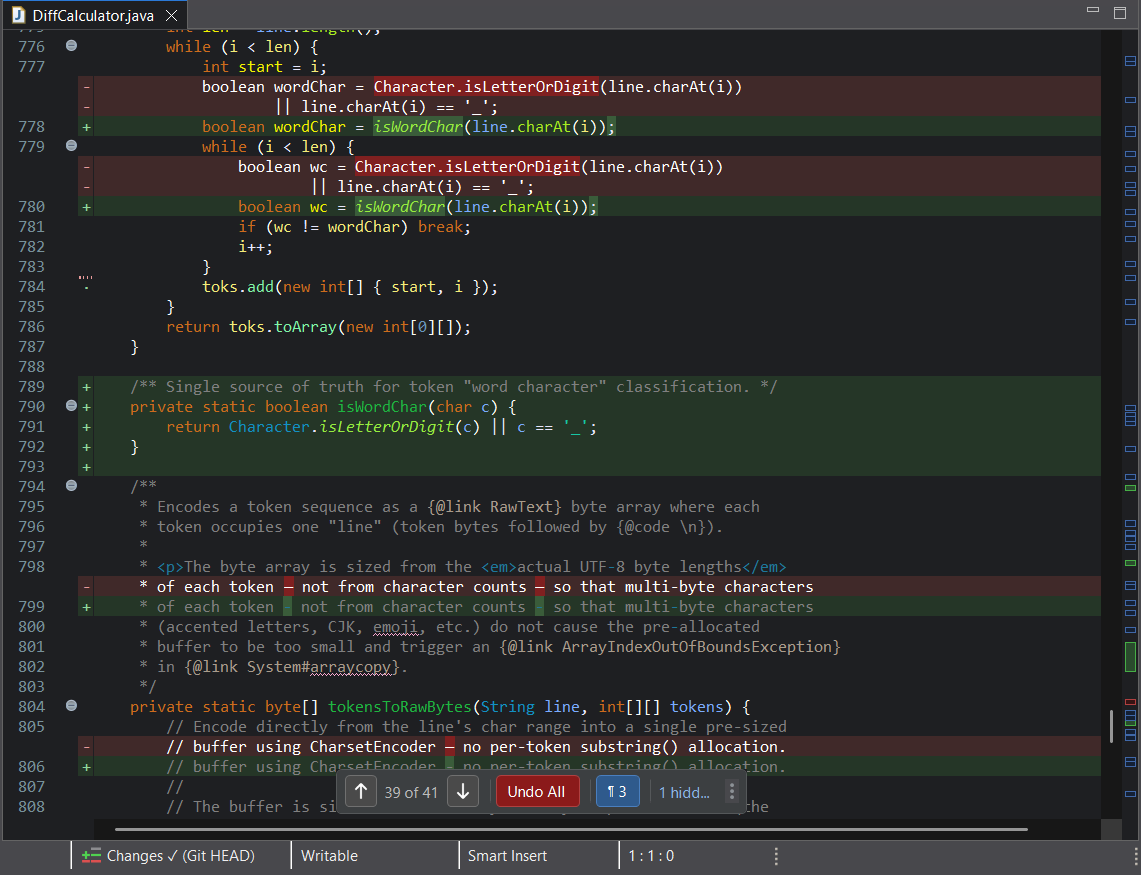
And it goes further. Inline Diff brings the same view into every Eclipse text editor, so you can review changes right where you write code, without opening a comparison at all.
Inline Diff is free and works with recent Eclipse releases.
Why inline?
A side-by-side comparison asks you to read two columns at once, matching lines across panes and scrolling both. An inline diff reads like the file itself: deleted lines appear as red gaps where they were, added lines in green, all in one top-to-bottom pass with full syntax coloring. For most reviews that is simply faster. When you do want two panes, side by side is one click away.
Live Review
See uncommitted changes directly in any text editor. Step through them, hide the ones you've checked, filter out whitespace-only edits, dim everything but the change you're on, and undo individual changes.
Inline Compare
Read any Eclipse comparison top to bottom in a single pane. Switch back to the side-by-side view with the same button.
Time Machine
Browse a file's history on a timeline and inspect past versions with inline changes. Exploring history leaves your editor buffer and file on disk untouched.
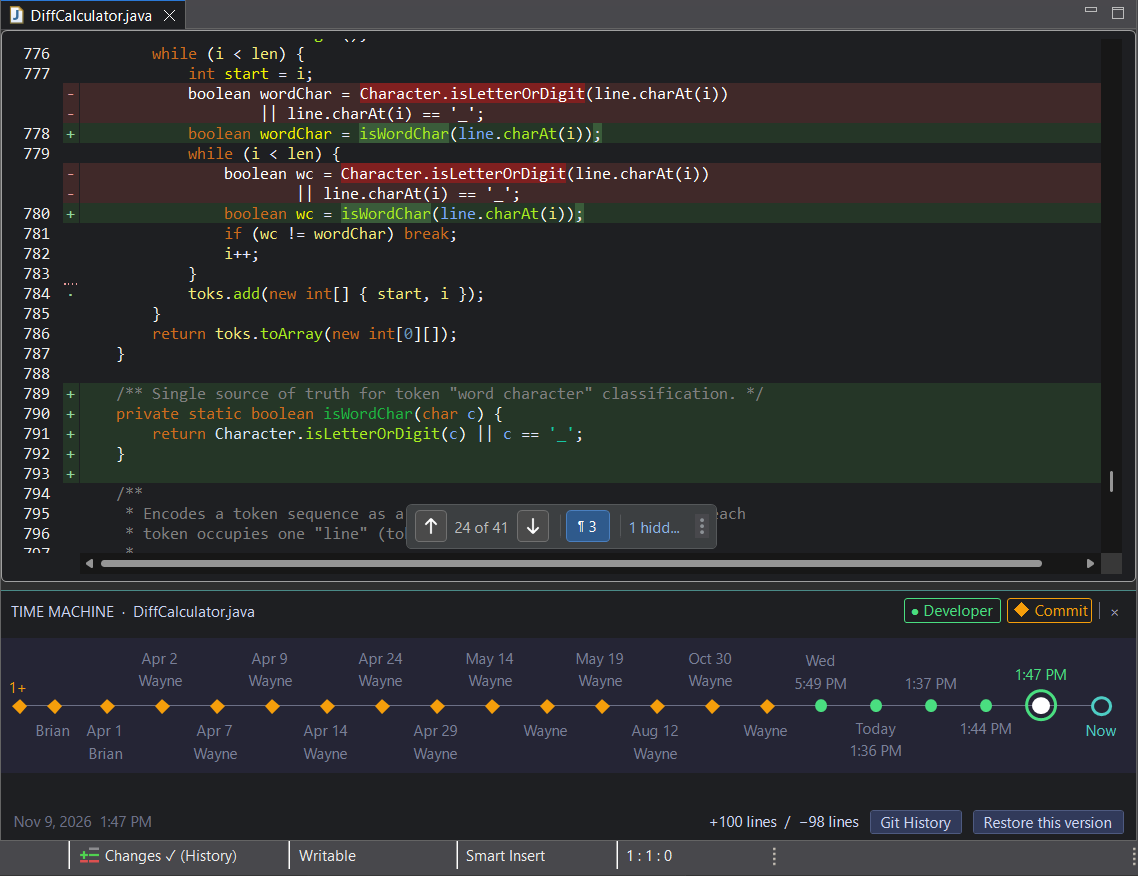
All three tools match your editor's theme (light or dark) and font, and share the same floating navigator to move between changes.
Feedback and support
Questions, bugs, or ideas? Visit Getting Help or the Community Forum.
Developed independently by Genuitec.