Installation
Install Inline Diff from Eclipse Marketplace, then restart Eclipse.
Prerequisites
- Eclipse 2025-03 (4.35) or later, or an Eclipse-based product built on it, running on Java 17 or later.
- Windows 11 or 10, macOS, or Linux.
No AI coding assistant is required. Inline Diff reviews changes made by you, your teammates, or an AI coding agent.
Install
- Open Help > Eclipse Marketplace.
- Search for Inline Diff and click Install.
- Follow the prompts, review and accept the license, and finish installation.
- Restart Eclipse when prompted.
After restarting, look for Show Changes in the status bar. Open a file and try Live Review.
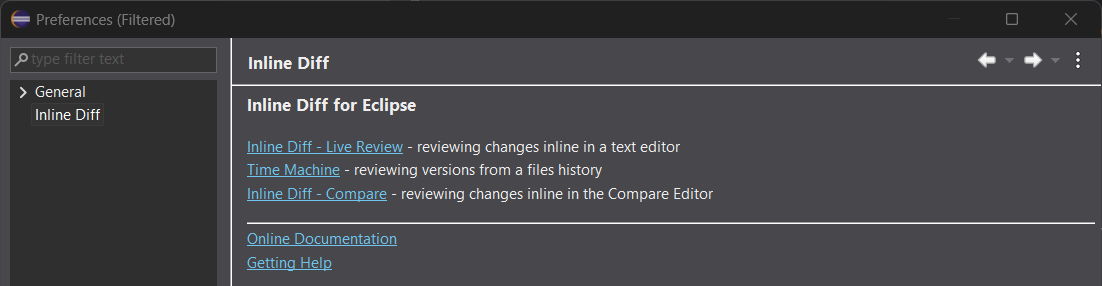
All Inline Diff settings are linked from Window > Preferences > Inline Diff (on macOS, Eclipse > Settings > Inline Diff):
Updating
Open Help > Check for Updates, select an available Inline Diff update, and follow the prompts. Restart Eclipse to complete the update.
Uninstalling
Open Help > About Eclipse IDE > Installation Details. Select Inline Diff on the Installed Software tab, click Uninstall, and follow the prompts. Restart Eclipse when prompted.
Need assistance? See Getting Help.